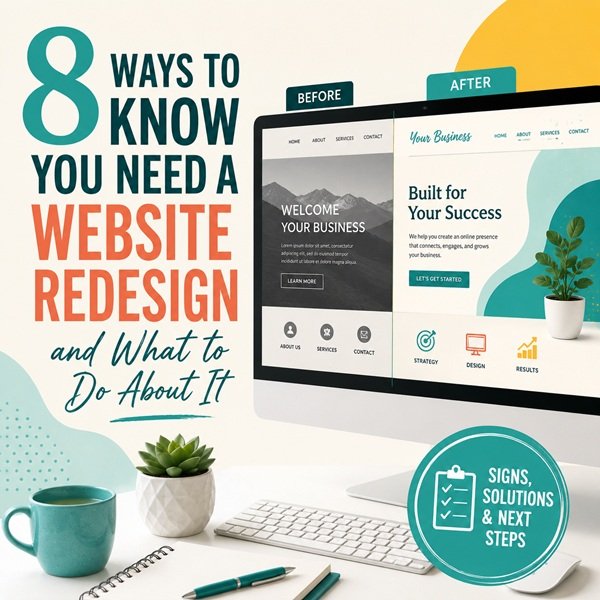
Your website is often the first impression a potential customer has of your business. If it looks dated, loads slowly, or is hard to navigate, that impression can cost you the sale before you ever get a chance to make your case. But how do you know when a few small tweaks will do the job, versus when it’s time for a full redesign? Here are the clearest signs, along with what the redesign process actually looks like.
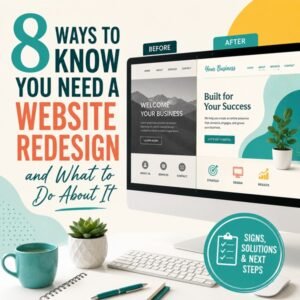
Signs You Need a Website Redesign
1) It Doesn’t Look Modern Anymore
Web design trends shift every few years, and visitors notice. If your site still has the look and feel of 2015 — small fonts, cluttered layouts, stock photos that feel dated, or clunky navigation — it signals to visitors that your business might be behind the times too, even if that’s far from true. A dated design erodes trust before a visitor even reads your content.
2) It’s Not Mobile-Friendly
More than half of all web traffic now comes from phones and tablets. If your site doesn’t resize properly, requires pinching and zooming, or hides content on smaller screens, you’re losing visitors immediately. A responsive, mobile-first design isn’t optional anymore — it’s the baseline.
3) It Loads Slowly
Every extra second of load time increases the chance a visitor leaves before the page even finishes rendering. Slow sites frustrate users and hurt your search engine rankings. If your site takes more than a few seconds to load, that’s a strong signal that outdated code, bloated plugins, or unoptimized images are dragging it down.
4) Your Traffic or Conversions Are Dropping
If you’ve noticed a steady decline in visitors, time on site, or leads coming through your contact forms, your website may no longer be doing its job. A redesign focused on usability and clear calls to action can often turn that trend around.
5) It’s Difficult to Update
If adding a blog post, changing a price, or updating your hours requires calling a developer every time, your website is holding your business back. A website redesign is a good opportunity to move to a platform that’s easier for your team to manage day to day.
6) It Doesn’t Reflect Your Current Brand
Businesses evolve with new services, new positioning, new logos or color palettes. If your website still reflects who you were five years ago rather than who you are now, it’s sending mixed signals to potential customers.
7) It’s Not Showing Up in Search
If your competitors are ranking above you for the same keywords, your site’s structure, content, or technical SEO may be the culprit. Search engines favor fast, well-organized, mobile-friendly sites — all things an outdated website often lacks.
8) Visitors Aren’t Converting
Traffic is only half the equation. If people are landing on your site but not calling, filling out a form, or making a purchase, the problem is usually with the user experience: confusing navigation, unclear calls to action, or a checkout process with too much friction.
The Website Redesign Process
Once you’ve decided a redesign is the right move, it helps to know what to expect. Here’s how the process typically works:
1) Discovery and Goals
Before any design work begins, it’s important to clarify what the new site needs to accomplish. Does it need more leads, better mobile experience, easier content updates, or a refreshed brand look? This stage also involves reviewing your current site’s analytics and plugins to understand what’s working and what isn’t. I generally start with a site audit to review any problem areas the current site has.
2) Research and Planning
Research and planning includes looking at your competitors, understanding your target audience, and mapping out the site’s structure (often called a sitemap). Good planning here prevents costly changes later in the process.
3) Wireframing and Design
Designers create layouts for key pages, focusing on how visitors will move through the site and take action. Once the structure is approved, visual design comes next. Your colors, typography, imagery, and branding elements are added to the site settings for use across the site. Consistency is important to best reflect your business.
4) Content Development
Existing content gets reviewed, rewritten, or replaced as needed. This is also the stage where new photography, copywriting, and calls to action are developed to support your goals. It is important to review all of the key business details such as address, phone numbers, and emails.
5) Development
The approved design built on staging gets approved for migration. Attention to responsive layouts, page speed, and functionality like contact forms, e-commerce, or booking tools must be checked immediately after migration to ensure everything works as it should. Caching plugins and image compression plugins may be added to improve site load speed. Additionally, plugins for your cookie notice, security, SEO, and antispam are added as required for safety and use.
6) Launch
The new site goes live, with careful attention to preserving your search engine rankings through proper redirects and technical setup. For the first two weeks, the site is monitored for any irregularities or issues. A good redesign doesn’t end at launch. Ongoing monitoring, updates, and minor adjustments help ensure the site continues to perform well as your business grows.
Working With a Local Web Design Partner
A website redesign is a significant investment, and it pays off to work with a trusted teammate that takes the time to understand your business rather than applying a one-size-fits-all template. Site Designs for You, a Lynchburg web design company, works directly with local businesses through each stage of this process. From the initial discovery conversation through launch and beyond, our mission is to build websites that are modern, fast, and built to convert visitors into customers.
If your website is showing any of the warning signs above, it may be time for a conversation about what a website redesign could do for your business.