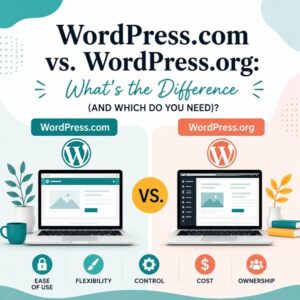
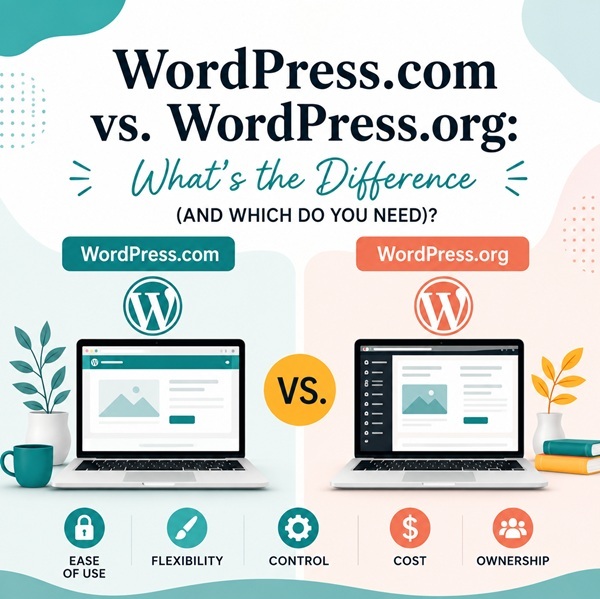
If you’ve started researching a new website, you’ve probably run into two nearly identical names that mean very different things: WordPress.com and WordPress.org. They share the same underlying software, but the way you use that software and how much control you have over your site couldn’t be more different. Here’s what sets them apart, and what you need to know if you decide to self-host.
WordPress.com: The All-in-One Option
WordPress.com is a hosted platform. Automattic, the company behind it, takes care of hosting, updates, and security for you. You sign up, pick a plan, and start building no separate hosting account or technical setup required (not!).
That convenience comes with trade-offs. Free and lower-tier plans limit which themes and plugins you can use, restrict custom code, and may display WordPress.com branding on your site. Advanced features are locked behind paid plans, and you’re ultimately building on infrastructure you don’t own.
WordPress.org: The Self-Hosted Option
WordPress.org refers to the free, open-source WordPress software itself. You download it (or your host installs it for you) and run it on hosting you choose and control. This is what people mean when they say “self-hosted WordPress.”
The upside is full control: any theme, any plugin, custom code, e-commerce, membership sites — whatever you need. The trade-off is that you’re responsible for choosing a host, keeping the site updated, and managing security. In practice, a good hosting provider handles most of the heavy lifting, which is why choosing the right host matters so much.
How to Set Up Hosting for a Self-Hosted WordPress Site
If you go the WordPress.org route, here’s the general process:
First, you will choose a hosting provider. Look for one that specializes in WordPress, offers solid uptime, responsive support, and daily backups. At the end of this post, I’ll share a few I recommend.
Once you determine the company you want to use, you will sign up for a hosting plan. Most WordPress-focused hosts offer one-click WordPress installs, so your site software is ready within minutes. Once the account is formed, you will get the company’s nameservers. (usually 2)
The next step is to go to your domain company and point your domain to your host. You’ll add the two nameservers and then wait for the DNS to process. Once the domain is pointing to your host, the next step is very important.
The last step is to add your SSL certificate (HTTPS). Most reputable hosts include a free SSL certificate, so make sure it’s active before your site goes live. Once your hosting and domain are set up, then you are ready to log on and start configuring your site settings.
Purchasing Your Domain
Your domain name (yourbusiness.com) is registered separately through a domain registrar. To purchase one, you’ll need to search for your desired domain name through a registrar (Namecheap, Google Domains/Squarespace Domains, GoDaddy, or even your hosting company’s own registrar tool). If the name is available, you will pick your extension (.com is usually the strongest choice for businesses) and complete the purchase, typically billed annually. You will want to keep your registrar login and renewal dates somewhere safe. Domains need to be renewed to avoid losing them. If you overlook a date or payment method, you can potentially lose the site you build.
Why You Should Keep Your Domain and Hosting Separate
It’s tempting to buy your domain and hosting from the same company for convenience, but I generally recommend keeping them with separate providers. First of all, if you ever want to switch hosts, having your domain elsewhere means you can move your site without also fighting to transfer your domain registration. Hosting companies don’t like it when you leave, so they can make the transfer difficult. If you have things separated, it’s a matter of just changing nameservers.
Second, if your hosting company has an outage, gets acquired, or shuts down, your domain (arguably your most valuable digital asset) isn’t tied up in the same account. Hosting companies can change over time. They may start off working well for you, but one hiccup can lead to a challenging time with tech support.
Another perk is easier troubleshooting. Billing issues, expired cards, or account problems with one provider won’t put both your domain and your live site at risk simultaneously. Trust me, these things do happen.
Finally, you’re not locked into one company’s pricing or renewal fees for everything, and you can shop around for the best host without domain migration headaches. Think of your domain as your business’s address and your hosting as the building. It’s smart to own the address independently of whoever’s managing the building.
Hosting Companies We Recommend
Based on reliability, WordPress specific support, and value, here are the hosts I would recommend:
- BigScoots — Fully managed WordPress hosting with hands-on human support, great for businesses that want a hosting team to actually fix problems, not just point you to a help doc.
- SiteGround — Known for strong uptime, fast support response times, and solid performance for small-to-medium WordPress sites.
- Hostinger — A budget-friendly option with competitive renewal pricing, good for businesses just getting started or working with a tighter budget.
If you’re not sure which platform, hosting company, or theme fits your goals, that’s exactly what I am here to help with. Schedule a consult today if I can be of assistance.